HR & Attendance

HR and attendance for every site your crews work

One staff directory, one Punch Manager, one set of camp assignments — whether a worker is on one site or moves between six.

Punch Manager

Punch Manager ingests biometric and mobile punches across every site, auto-fixes unpaired punches, and finalises the month before it feeds payroll — so payroll never starts from a spreadsheet.

  • Biometric and mobile punch capture across multiple sites
  • GPS-verified mobile check-in for field teams without a biometric device
  • Unpaired punches auto-fixed before the month is finalised
  • Finalised attendance feeds payroll with welfare and statutory heads
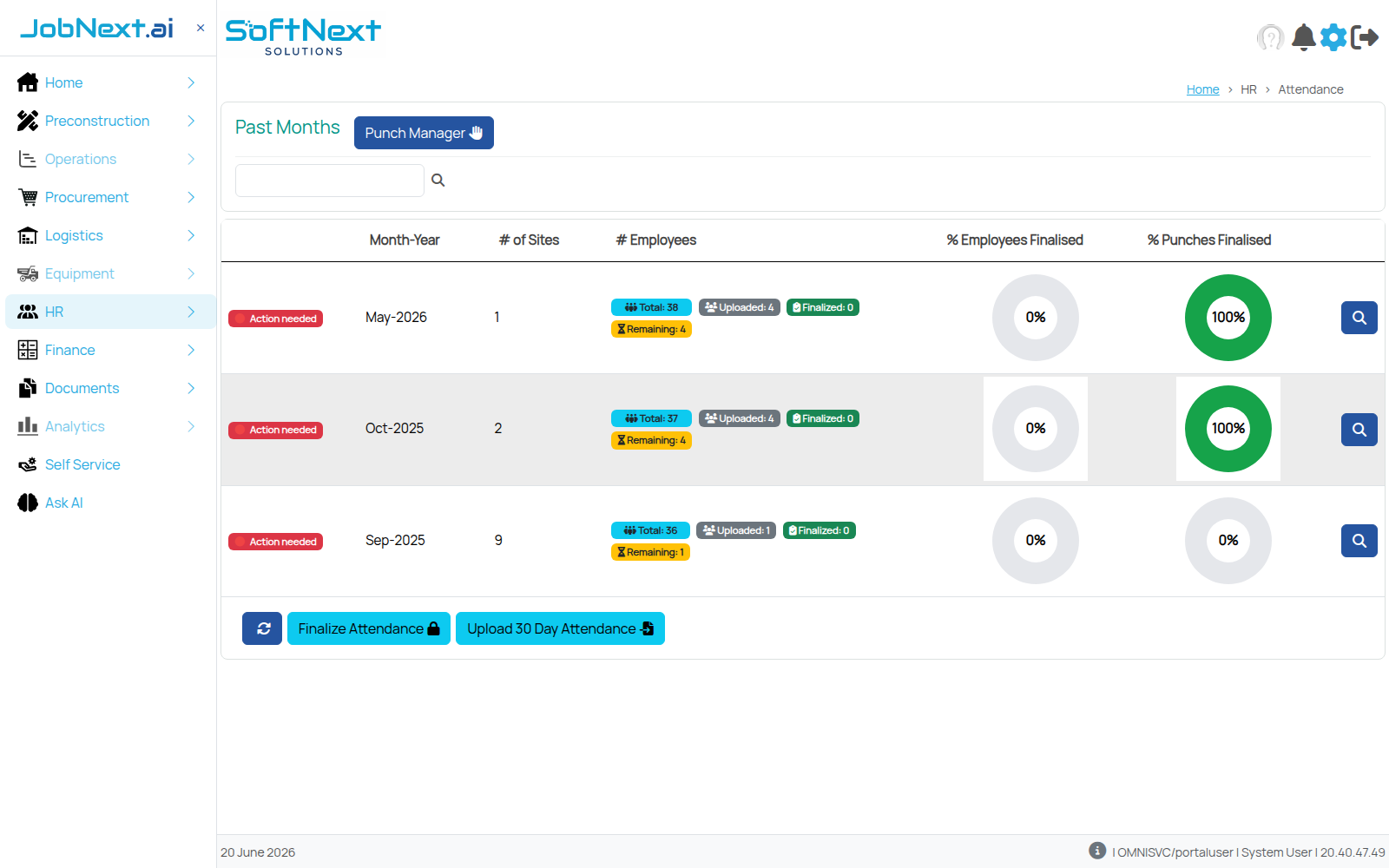
JobNext Punch Manager showing months awaiting attendance finalisation across sites

Past months, sites, and how many employees and punches are finalised — before payroll opens.

Staff records & camps

Recruitment and allocation open a staff directory with twelve tabs per employee — documents, job allocation, leave, training and separation — and workforce camp assignments sit in the same HR module, not a separate system.

Recruitment Allocation Leave & timesheets Training Camp Separation

Overtime

Overtime rules are configured per pay grade and applied automatically once attendance is finalised, so the numbers going into payroll already match the hours actually worked.

Catering & site headcount

For sites running camp catering, the same platform plans weekly menus and forecasts monthly headcount (PAX) against manpower, transport and overheads.

Catering, planned against real headcount

Menus, meals and costs are set up against the same site and manpower data attendance already tracks.
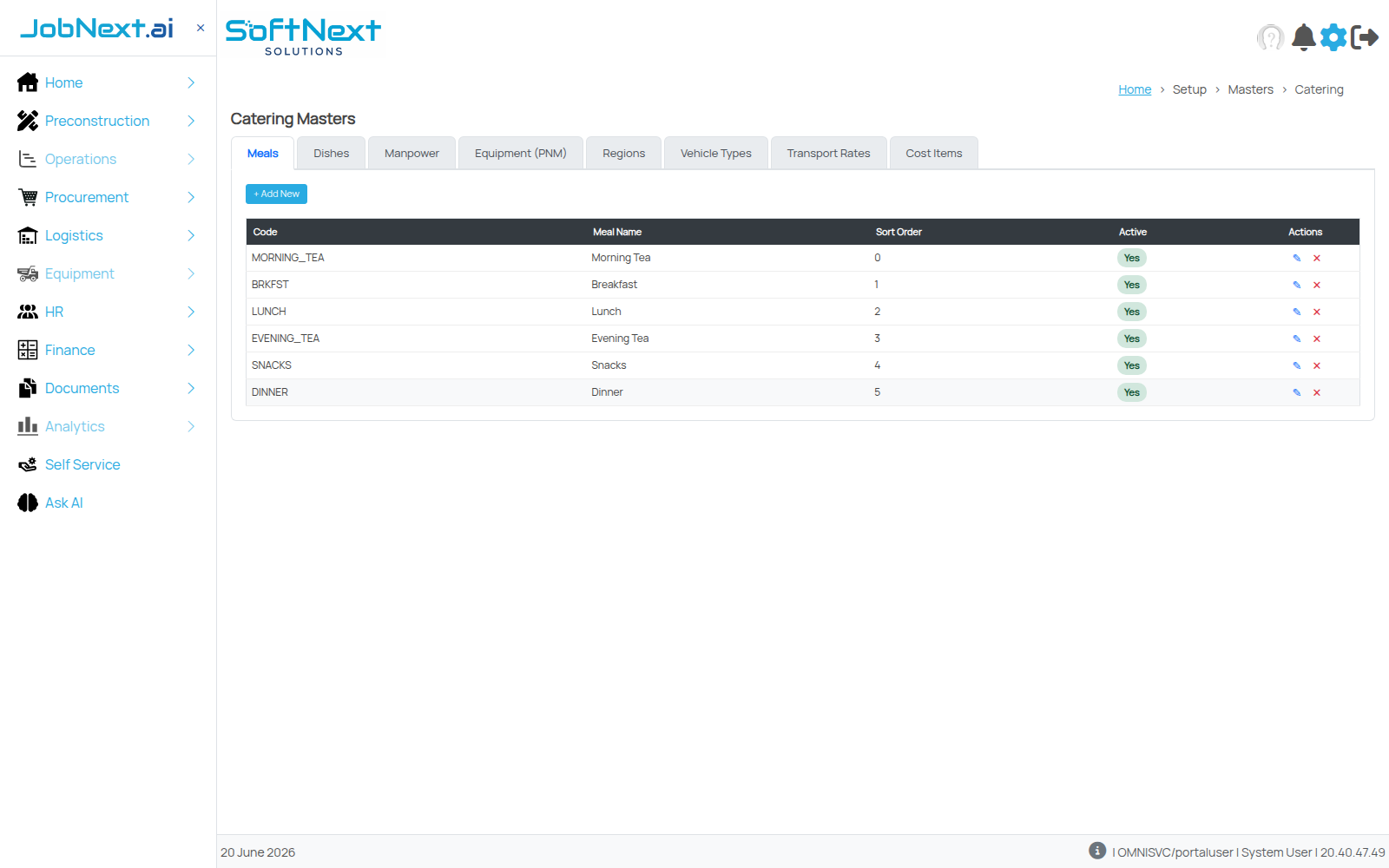
JobNext catering masters showing meal types: morning tea, breakfast, lunch, evening tea, snacks, dinner

Catering masters: meal types, dishes, manpower, equipment, regions, vehicle types and cost items — one setup per site.

See attendance and payroll in one record

Book a walkthrough of JobNext HR.

See JobNext HR Book a demo

Frequently asked questions

What is Punch Manager?
Punch Manager is the attendance tool in JobNext HR. It ingests biometric and mobile punches across every site, auto-fixes unpaired punches, and finalises the month before it feeds payroll. It also shows past months, sites, and how many employees and punches are finalised before payroll opens.
Can field teams without a biometric device record attendance?
Yes. The site lists GPS-verified mobile check-in for field teams who have no biometric device. Mobile punches go into the same Punch Manager as biometric punches, so workers on different sites are handled in one attendance process rather than separate ones.
What happens to missing or unpaired punches?
Punch Manager fixes unpaired punches automatically before the month is finalised. Once attendance is finalised, it feeds payroll together with welfare and statutory heads. The aim stated on the site is that payroll never starts from a spreadsheet, so the figures it uses come from the finalised record.
How does JobNext handle overtime?
Overtime rules are configured per pay grade and applied automatically once attendance is finalised. The numbers going into payroll therefore already match the hours actually worked. An Overtime Analysis report is also available once a payroll run has been finalised, for finance to review.
Does JobNext manage workforce camps and catering?
Yes. Camp assignments sit in the same HR module as the staff directory, not in a separate system. For sites running camp catering, the platform plans weekly menus and forecasts monthly headcount (PAX) against manpower, transport and overheads, using the site and manpower data attendance already tracks.